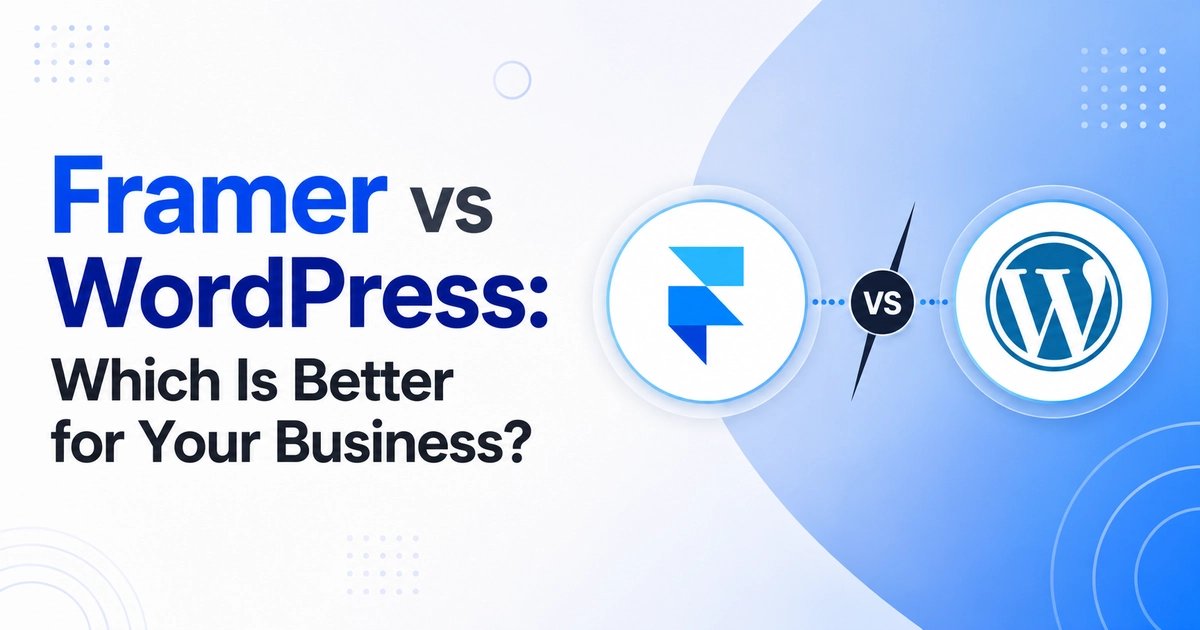
WordPress is superior for businesses requiring complete digital ownership, advanced SEO capabilities, scalable blogging, and flexible WooCommerce integrations without proprietary monthly subscription fees. Framer is suitable for teams wanting rapid, all-in-one visual setup without managing hosting or updates. For long-term brand equity and search ranking, WordPress is the industry standard.
Choosing between Framer and WordPress is a foundational strategic decision. While Framer provides a closed SaaS environment designed for simplicity, WordPress powers over 43% of all websites globally by offering unmatched open-source adaptability. In this comprehensive comparison, we evaluate both platforms across total cost of ownership, SEO performance, design flexibility, and scalability to help you select the ideal solution.
Key Takeaways
- Digital Ownership: WordPress grants 100% ownership of your code, database, and content; Framer locks your site into proprietary hosting.
- SEO Capabilities: WordPress offers granular technical SEO, custom schema markups, and deep control via plugins like Rank Math; Framer offers standardized settings.
- E-Commerce Scaling: WooCommerce on WordPress supports unlimited SKUs, zero transaction commissions, and custom Indian payment gateways (Razorpay, Cashfree, UPI).
- Long-Term Cost: WordPress on affordable cloud hosting (Hostinger/Cloudways) is significantly more cost-effective over a 3-year period than high-tier Framer plans.
Which Platform Should You Choose?
If your business prioritizes search engine visibility, organic lead acquisition, custom dynamic functionality, and independent code ownership, WordPress combined with Elementor Pro is the clear winner. If you need a fast temporary prototype and do not require custom features or complex content silos, Framer can serve initial requirements.
| Feature / Criterion | WordPress + Elementor Pro | Framer |
|---|---|---|
| Platform Ownership | 100% Open-Source Ownership (Self-Hosted) | Proprietary Closed SaaS (Platform Locked) |
| SEO & Schema Control | Advanced (Rank Math, Yoast, Custom JSON-LD, Silo URLs) | Basic to Moderate (Fixed URL Structures, Limited Schema) |
| E-Commerce (WooCommerce) | Full-featured, 0% platform transaction fees, UPI & Global gateways | Plan-limited product tiers or third-party embeds |
| Design Flexibility | Pixel-perfect visual editing with Flexbox & CSS Grid containers | Template-driven grid layout constraints |
| Ongoing Software Cost | Predictable (Standard hosting $3–$15/mo) | Recurring monthly SaaS tiers ($15–$100+/mo) |
Detailed Feature Comparison
1. SEO and Search Engine Dominance
Google evaluates Core Web Vitals, semantic markup, crawl efficiency, and internal link architecture. On WordPress, you can configure granular XML sitemaps, custom redirects, breadcrumb schema, and canonical tags. On Framer, technical SEO options are constrained by the proprietary server infrastructure, limiting your ability to resolve deep indexing or structured data challenges.
2. Content Management & Dynamic Publishing
WordPress is the world’s most powerful content management system. With native post categories, tag hierarchies, author archives, custom taxonomies, and Advanced Custom Fields (ACF), you can organize hundreds of articles into topical authority clusters. Framer is generally optimized for modest page counts and struggles when scaling extensive content marketing operations.
3. Custom Integrations & Extendibility
With over 60,000 plugins in the official WordPress directory, you can integrate any third-party software—from CRMs like HubSpot and Zoho to WhatsApp automated chat triggers, learning management systems, and membership portals. Framer relies on a limited app store or manual code embeds that may break during platform updates.
Who Should Choose What?
- Choose Framer if:
- You need an immediate landing page launched within 24 hours.
- You do not want to manage hosting, plugin updates, or SSL certificates.
- You do not depend on long-term organic Google search traffic.
- Choose WordPress if:
- Your website is a primary customer acquisition and lead generation engine.
- You require full control over performance optimization, caching, and server locations.
- You plan to sell products or services online with customized checkout flows.
- You want an enterprise-grade digital asset that you truly own.
Final Verdict & Recommendation
For modern commercial enterprises, WordPress offers the longevity, performance, and freedom required to scale without artificial constraints. If you are currently operating on Framer and feeling constrained by its limits, explore our WordPress website development and migration services to elevate your online presence.
Total Cost of Ownership (TCO): 3-Year Financial Comparison
When assessing the true business cost of Framer versus self-hosted WordPress, look beyond the initial setup window. A proprietary SaaS builder often charges escalating tiered pricing as your contact database or page count expands:
- Framer Estimated 3-Year Cost: Monthly plan subscriptions ($20 to $80/mo), transaction fees on sales (often 1% to 3%), and required third-party add-ons typically total between $1,200 and $3,500 over 36 months, with zero asset equity when you stop paying.
- WordPress Estimated 3-Year Cost: High-performance LiteSpeed cloud hosting (approx. $60 to $120/yr) combined with an Elementor Pro license totals roughly $350 to $700 over 3 years, with 0% platform transaction fees and 100% digital asset ownership.
Security, Maintenance & Disaster Recovery Protocols
While Framer handles proprietary server patching automatically, WordPress provides complete operational transparency and security governance. With WordPress, enterprise website owners implement multi-layered defense architectures:
- Automated Off-Site Backups: Schedule daily, encrypted database and media backups to remote cloud storage (Google Drive, AWS S3, or Dropbox), ensuring full site restoration within minutes in any disaster recovery scenario.
- Enterprise Firewall & 2FA: Deploy Cloudflare edge firewalls and two-factor authentication (2FA) for all administrator accounts to neutralize brute-force attacks and malicious bots.
- Independent Data Portability: Unlike Framer, where a sudden platform policy change or price hike can disrupt operations, self-hosted WordPress code can be migrated to any global hosting provider instantly without friction.
Frequently Asked Questions
Ready to Build Professional Websites Faster?
Supercharge your WordPress design workflow with 100+ premium widgets, theme builder capabilities, and dynamic WooCommerce templates.
While WordPress has a slightly higher initial learning curve, using modern visual builders like Elementor Pro provides a drag-and-drop interface that is just as intuitive as Framer, with vastly superior creative freedom.
Yes. CV World specializes in rebuilding Framer websites in WordPress Elementor Pro without downtime, preserving your visual branding and redirecting URLs to protect your search rankings.
WordPress is almost always more cost-effective. High-tier Framer plans can cost hundreds of dollars each year, whereas a high-speed WordPress hosting plan typically costs under $50–$100 annually with zero platform transaction fees.
While Framer manages centralized platform updates automatically, WordPress gives you dedicated staging environments, automated cloud backups, and scheduled auto-updates for vetted plugins. This ensures complete system stability without sudden breaking changes to your live checkout flows or lead capture forms.
No. When implemented using modern clean-code standards, responsive Flexbox containers, and server-side caching, your website maintains rapid sub-second loading speeds and easily passes Google Core Web Vitals assessments.
Ready to Upgrade to WordPress?
Connect with CV World developers for an honest, comprehensive evaluation of your website architecture and a fixed-price migration quote.