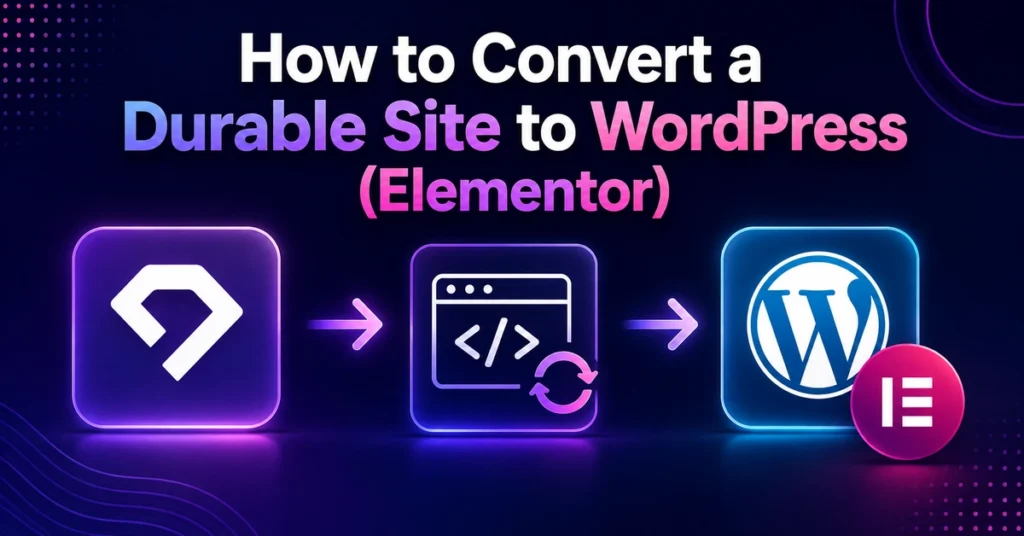
To convert a Webflow website to WordPress with Elementor Pro, you must extract your brand assets and content, set up a staging WordPress environment with LiteSpeed hosting, reconstruct the layouts manually using clean Elementor Flexbox containers, configure dynamic forms, and implement 301 URL redirects. Automated export is impossible due to proprietary closed-source architecture, so clean manual rebuilding is essential for top Core Web Vitals.
Rebuilding a Webflow website in WordPress using Elementor Pro allows you to escape proprietary platform lock-in while preserving your established visual identity. Many business owners initially assume they can simply export a code package from Webflow and import it into WordPress. However, because Webflow operates on a closed ecosystem, converting to WordPress requires a clean, structured reconstruction workflow.
Key Takeaways
- No Direct File Export: Webflow designs cannot be exported into an Elementor JSON template; sections must be rebuilt using modern Flexbox containers.
- Speed & DOM Efficiency: A clean manual rebuild eliminates inline scripts and wrapper div bloat common in SaaS website builders.
- SEO Preservation: Exact 301 redirects must be created for every existing Webflow URL to protect search rankings.
- Full Independence: WordPress eliminates ongoing proprietary monthly fees and allows unlimited scaling with WooCommerce and custom plugins.
Can You Automatically Export Webflow to Elementor?
No. There is no automated plugin or native tool that directly converts Webflow proprietary code into native Elementor Pro widgets. Automated conversion tools produce broken responsive layouts and bloated CSS. The industry-standard developer method is to treat your existing Webflow site as a design specification and recreate the layout using Elementor Pro Flexbox containers.
| Step | Stage | Action Required | Tools & Best Practices |
|---|---|---|---|
| Step 1 | Asset Audit | Download full-resolution images, SVGs, copy, and typography styles. | Web scraping / asset downloader, Google Fonts verification. |
| Step 2 | WordPress Setup | Deploy WordPress on high-speed LiteSpeed hosting with Hello Elementor theme. | Hostinger Cloud / Cloudways, SSL activation, PHP 8.2+. |
| Step 3 | Container Rebuild | Reconstruct page sections using native Elementor Flexbox containers. | Elementor Pro, global color/font kits, responsive breakpoints. |
| Step 4 | Dynamic Features | Configure Elementor Pro Forms, webhooks, blogs, and WooCommerce. | Custom post types, ACF, SMTP email delivery. |
| Step 5 | Redirects & Launch | Map 301 redirects, verify Core Web Vitals, and point domain DNS. | Rank Math SEO 301 module, LiteSpeed Cache, Cloudflare. |
Step-by-Step Rebuilding Workflow
Step 1: Content Extraction and Typography System
Begin by cataloging all fonts, color hex codes, and layout hierarchies from your Webflow site. In WordPress, navigate to Elementor > Site Settings > Global Fonts & Colors. Configuring your primary, secondary, and accent colors upfront ensures consistency across all newly built templates.
Step 2: Building Clean Flexbox Containers
Modern Elementor development uses Flexbox containers rather than legacy sections and inner columns. For each hero banner, feature card grid, or testimonial section, create a parent container set to Direction: Row or Column with justified content alignment. This delivers lightning-fast rendering speeds and ensures your pages pass Google’s Core Web Vitals assessment.
Step 3: Replacing Proprietary Forms with Elementor Pro Forms
Proprietary Webflow forms must be replaced with versatile Elementor Pro Form widgets. You can configure multi-step inquiries, custom field validation, hidden UTM parameters, and automated webhook actions to forward leads to your CRM, WhatsApp, or email newsletters.
Step 4: Mapping 301 Redirects to Retain SEO Traffic
Never change platforms without redirecting old URLs. Using Rank Math SEO’s Redirections module, map each legacy Webflow URL to the matching WordPress permalink. This ensures that any backlink or indexed search result directs users to the new page without 404 errors.
Who Should Rebuild in Elementor?
- Choose to stay on Webflow if: You have a simple single-page portfolio with zero need for SEO, customized blogging, or advanced dynamic features.
- Rebuild in WordPress Elementor if:
- You need total freedom over web design, animations, and custom interactions.
- You want an intuitive visual drag-and-drop editor that your internal marketing team can easily update.
- You want to eliminate ongoing platform fees and own your digital assets completely.
- You require custom WooCommerce checkout flows and scalable content publishing.
Final Verdict & Next Steps
Rebuilding your Webflow website in WordPress Elementor Pro combines the best of both worlds: full visual design freedom with the boundless scalability and ownership of open-source WordPress. For a professional, zero-downtime transition, partner with CV World’s expert WordPress conversion team.
Core Web Vitals & Elementor Container Optimization
When transitioning from Webflow to WordPress, achieving top performance scores requires deliberate frontend engineering. Follow these Core Web Vitals best practices inside Elementor Pro:
- Minimize DOM Depth: Take advantage of Elementor’s modern Flexbox and CSS Grid containers. Never nest containers more than two levels deep; use flex wrap and flex gap instead of nested spacer widgets.
- Next-Gen Image Delivery: Convert all legacy PNG and JPEG assets extracted from Webflow into compressed WebP formats using LiteSpeed Cache or ShortPixel, ensuring Largest Contentful Paint (LCP) remains under 1.8 seconds.
- Selective Script Loading: Disable unused Elementor experiments, activate font-display: swap for Google Fonts, and defer non-critical JavaScript to prevent Cumulative Layout Shift (CLS) and Interaction to Next Paint (INP) bottlenecks.
Post-Migration SEO Verification Protocol
Immediately after switching your domain DNS to WordPress, perform these technical audits to protect search rankings:
- Google Search Console Sitemap Submission: Verify your new XML sitemap (generated via Rank Math) is submitted and successfully parsed by Googlebot.
- 301 Redirect Crawl Validation: Run a full crawl using Screaming Frog to verify every old Webflow URL returns a
301 Moved PermanentlyHTTP status pointing to the corresponding WordPress page with zero redirect chains. - Rich Results & Schema Validation: Test key landing pages using Google’s Rich Results Test tool to ensure organization, FAQ, and breadcrumb structured data are valid without warnings.
Frequently Asked Questions
Ready to Build Professional Websites Faster?
Supercharge your WordPress design workflow with 100+ premium widgets, theme builder capabilities, and dynamic WooCommerce templates.
A standard 5 to 10-page business website typically takes 4 to 7 business days to recreate, test, and launch on WordPress with complete mobile responsiveness and SEO configuration.
Yes. Rebuilding cleanly with Elementor Pro Flexbox containers on a LiteSpeed-powered host with WebP image optimization and Redis caching typically achieves Google PageSpeed scores of 90+ on both mobile and desktop.
No. Once the WordPress site is launched and domain DNS is switched, you can cancel your Webflow subscription entirely, saving substantial recurring software costs every year.
No. When implemented using modern clean-code standards, responsive Flexbox containers, and server-side caching, your website maintains rapid sub-second loading speeds and easily passes Google Core Web Vitals assessments.
No. We build every layout using intuitive drag-and-drop visual controls and custom fields, allowing content managers to update text, replace images, and publish new pages without touching code.
Want Experts to Rebuild Your Webflow Site in WordPress?
Get a pixel-perfect, mobile-responsive Elementor Pro rebuild delivered with guaranteed 90+ Google Core Web Vitals and zero downtime.