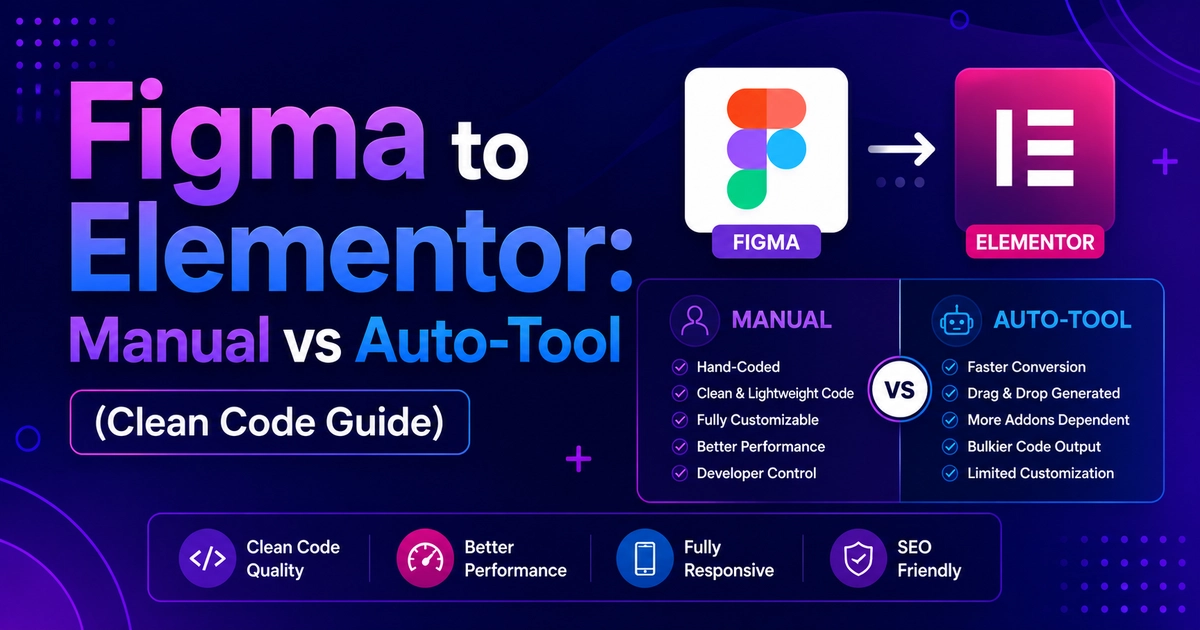
Manual conversion using Elementor Flexbox Containers is vastly superior to automated AI export tools. While automated converters promise instantaneous results, they generate brittle absolute positioning, bloated DOM trees (80+ nested layers), and non-responsive layouts that fail Google Core Web Vitals. Manual conversion produces clean semantic HTML, 100% responsive fluid scaling, sub-1s load times, and intuitive visual client editability.
Key Takeaways
- Automated Figma-to-Elementor plugins produce deeply nested containers, inline styling, and poor PageSpeed.
- Manual conversion by experienced developers guarantees clean DOM hierarchy and responsive perfection.
- Enables proper dynamic tag integrations, ACF custom fields, and accessible form structures.
- Manual development delivers superior long-term maintainability and higher Google rankings.
With the rise of automated design-to-code plugins and AI website builders, many agencies and developers ask: Why spend hours manually building a Figma design in Elementor when an automated tool claims to export it in seconds?
The reality is that web development is not just about visual mimicry on a single desktop screen — it is about code health, responsive fluidity, maintainability, Core Web Vitals, and search engine ranking. Automated tools invariably prioritize fast visual output at the expense of clean architecture, generating codebases that collapse on mobile devices and drag down Google rankings.
At CV World, our engineering team regularly audits and rebuilds broken websites originally exported via automated tools. In this guide, we conduct an honest technical comparison between automated converters and professional manual coding in Elementor Pro in 2026.
1. Direct Technical Comparison: Manual vs Auto-Converter
| Criterion | Automated Tools (Plugins/AI) | Manual Developer Conversion |
|---|---|---|
| DOM Tree Depth | ❌ Excessive (25–80 nested div layers) | ✅ Minimal & Semantic (3–6 container levels) |
| Mobile Responsiveness | ❌ Brittle; elements overlap and break | ✅ Fluid, custom breakpoints & stack flow |
| Google PageSpeed Score | ❌ Typically 35–65 on Mobile | ✅ 90–98+ on Mobile (Core Web Vitals Pass) |
| Client Editability | ❌ Fragmented text boxes & raw HTML | ✅ Clean native Elementor widgets & tokens |
| SEO & Schema Structure | ❌ Generic div tags; broken heading levels | ✅ Semantic H1–H6, Article, Nav, Schema |
| Maintenance & Scaling | ❌ Nightmarish to modify later | ✅ Built on Global Tokens and Loop Builder |
2. Why Automated Figma Converters Fail in Production
Automated conversion tools work by parsing Figma’s JSON layout coordinates and attempting to translate visual rectangles into HTML. This fundamental approach creates severe structural problems:
1. Absolute Positioning Disaster
Automated tools frequently generate inline styles using absolute pixel coordinates (e.g., top: 242px; left: 114px;). While this looks accurate on the exact screen resolution the designer used, the moment the site is viewed on a tablet, laptop, or smartphone, elements crash into each other, text overflows boundaries, and the entire layout breaks.
2. The “DIV Soup” Performance Penalty
Google evaluates DOM Size as a ranking factor under Core Web Vitals. Google flags pages with more than 800 total DOM nodes or a maximum depth exceeding 32 levels. Automated tools wrap every single layer, frame, and vector group in separate nested <div> tags, easily generating 2,500+ DOM nodes for a single landing page. This spikes Total Blocking Time (TBT) and causes mobile browsers to stutter during scrolling.
3. Broken SEO Semantic Hierarchy
Search engine crawlers rely on clean semantic HTML to understand page context. Auto-tools rarely assign proper heading hierarchy, frequently exporting styling text as <span> or <p> tags with oversized font styling rather than true <h1>, <h2>, and <h3> tags. This robs your website of critical keyword signals needed to rank #1 on Google.
3. The Professional Manual Workflow: Built for Speed & Growth
When our engineers at CV World manually convert a Figma design into Elementor, we adhere to strict architectural standards:
- Flexbox & CSS Grid Architecture: We build using modern Flexbox Containers and CSS Grid. A feature section that takes 18 nested divs in an auto-tool takes just 1 parent grid container and 3 clean child cards in our code.
- Centralized Global Design System: All colors, typography, border radiuses, and button styles are tethered to Elementor’s Global Site Settings. If you change your brand color in the future, it updates globally in 1 second.
- Dynamic Content with ACF & Loop Builder: Instead of hardcoding 20 static cards, we configure custom post types with Advanced Custom Fields (ACF) and render them with Elementor’s Loop Builder. Clients can add new portfolio items, team members, or case studies effortlessly.
- Native Responsive Breakpoints: Every section is manually tested and tailored across 1920px (large desktop), 1440px (standard laptop), 1024px (tablet landscape), 768px (tablet portrait), and 375px–425px (mobile phones).
4. Cost vs Value: The False Economy of “Cheap” Automation
Many business owners choose an automated tool to save money, only to spend triple the budget fixing bugs later:
- The Automated Route: You spend $20 on a plugin and export the page in 5 minutes. Then you discover mobile layout is broken, Google PageSpeed is 42/100, forms don’t integrate with CRM, and clients cannot edit text. You spend $300 hiring a freelancer to fix the mess or rebuild it from scratch.
- The Professional Manual Route: You invest in clean developer conversion from day one. You receive a pixel-perfect, 95+ PageSpeed, fully responsive site with 1 year of support and zero technical debt.
5. Final Verdict: When to Use Which?
- Use Auto-Tools only for: Quick internal throwaway prototypes or personal mockups that will never see real customers or search engine traffic.
- Use Professional Manual Conversion for: Any real commercial website, business landing page, client project, or digital agency portfolio where SEO rankings, conversion rates, and client satisfaction matter.
Need your Figma design converted with hand-coded precision and clean Elementor architecture? Explore our CV World Figma to WordPress Services or contact our senior developers on WhatsApp.
Frequently Asked Questions
Ready to Build Professional Websites Faster?
Supercharge your WordPress design workflow with 100+ premium widgets, theme builder capabilities, and dynamic WooCommerce templates.
Yes. Because Elementor’s container engine is built directly on CSS Flexbox, we map Figma’s Auto-Layout direction, gap, alignment, and distribution with 100% mathematical precision.
Yes. By stripping unnecessary DOM layers, preloading critical fonts, serving next-gen WebP images, and configuring server-level LiteSpeed caching, our converted pages routinely achieve 90+ on mobile PageSpeed Insights.
A manual professional landing page conversion takes between 24 and 48 hours. While longer than an instant export button, it saves dozens of hours of bug fixing and ensures the site is launch-ready on day one.
At CV World, manual conversion starts at ₹4,999 ($60) per landing page and includes full responsive styling, SEO setup, Core Web Vitals tuning, and 1 year of free technical support. Contact our team for a fixed quote.
No. When implemented using modern clean-code standards, responsive Flexbox containers, and server-side caching, your website maintains rapid sub-second loading speeds and easily passes Google Core Web Vitals assessments.
Need Expert Development, Speed Optimization or Custom Migration?
Talk directly with CV World lead engineers. Get a transparent, fixed-price quote with guaranteed 90+ Core Web Vitals and zero obligation.