Converting a Figma design to WordPress using Elementor involves translating Figma Auto-Layout directly into Elementor Flexbox Containers. The workflow consists of: (1) extracting design tokens (colors, typography, spacing variables), (2) setting up Hello Elementor with Global Fonts/Colors, (3) mapping Figma Auto-Layout frames to Elementor container directions (Row/Column, Gap, Wrap), (4) integrating dynamic content via ACF & Loop Builder, and (5) auditing Core Web Vitals to guarantee 90+ mobile PageSpeed scores.
Key Takeaways
- Map Figma auto-layout frames directly to Elementor Pro Flexbox and Grid container properties.
- Export vector icons as optimized SVGs and typography as standard Google or custom web fonts.
- Build reusable Theme Builder templates for headers, footers, archives, and single post layouts.
- Deliver completed sites with guaranteed 90+ Core Web Vitals and 30 days of free support.
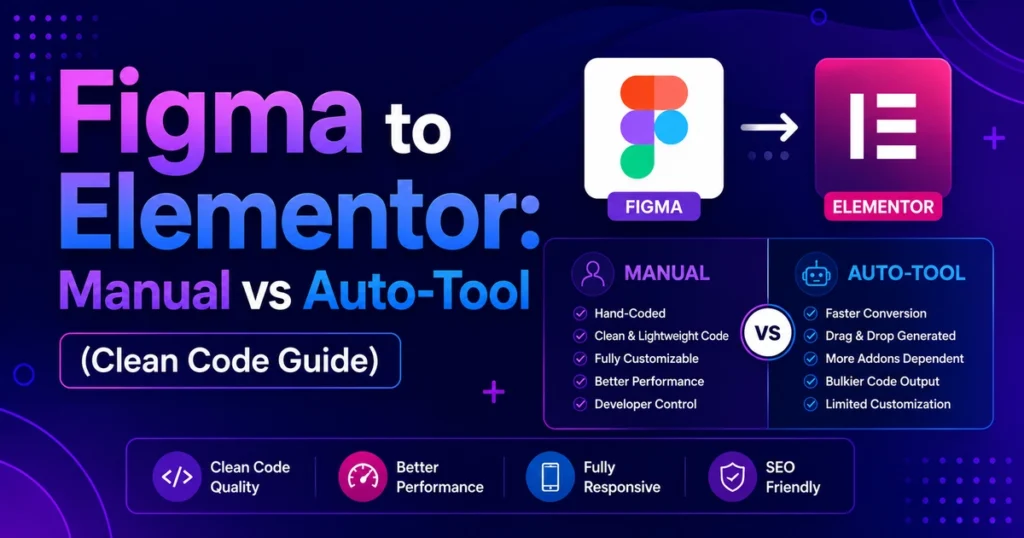
Figma is the undisputed standard for modern UI/UX design. However, turning a beautiful Figma mockup into a live, interactive, and search-engine-optimized WordPress website often presents a major bottleneck for digital agencies and creative freelancers. While automated plugins claim “1-click export,” they invariably generate bloated, unmaintainable code that fails Google Core Web Vitals.
The professional, agency-standard approach is a manual architectural conversion using Elementor Pro Flexbox Containers. Because Elementor’s container model is directly based on CSS Flexbox — identical to how Figma’s Auto-Layout operates — developers can translate design specs with 100% precision while maintaining ultra-clean HTML structure.
At CV World, our senior front-end engineers convert dozens of complex Figma files into production WordPress platforms every month. In this comprehensive 2026 guide, we detail our complete, proven conversion workflow from canvas to production server.
1. Figma Auto-Layout to Elementor Flexbox Mapping
Understanding how Figma’s Auto-Layout properties map directly to Elementor’s container controls is the key to rapid, clean development:
| Figma Property | CSS Equivalent | Elementor Container Setting |
|---|---|---|
| Direction: Vertical | flex-direction: column |
Direction: Column (Down Arrow) |
| Direction: Horizontal | flex-direction: row |
Direction: Row (Right Arrow) |
| Gap between items | gap: 24px |
Gaps → Columns / Rows: 24px |
| Fill container | flex-grow: 1; width: 100% |
Container Width: Full Width (or Flex Grow: 1) |
| Hug contents | width: fit-content |
Container Width: Custom (or Flex Shrink: 1) |
| Space between | justify-content: space-between |
Justify Content → Space Between |
2. Phase 1: Design Token Extraction & WordPress Setup
Never start building pages until your global design system tokens are defined in WordPress:
- Global Colors: Extract the Figma color styles. In Elementor → Site Settings → Global Colors, create tokens for Primary (Brand), Secondary, Text (Body font color), Accent, and surface shades (card backgrounds, subtle borders).
- Typography Hierarchy: Note down font family names, weights, letter-spacing, and line-height ratios. Set up Global Fonts in Elementor for H1, H2, H3, H4, Body Large, Body Medium, and Button labels.
- Container Width & Layout: Measure the maximum content boundary in Figma (usually 1200px, 1280px, or 1440px). Configure this in Site Settings → Layout → Content Width.
- Asset Optimization: Export vector icons as SVG and raster images as WebP. Ensure SVGs are uploaded with Elementor’s secure SVG handler active.
3. Phase 2: Theme Builder & Global Template Construction
A professional website is built modularly using Elementor Pro’s Theme Builder:
- Header Template: Set up a sticky header container with transparent background on scroll, navigation menu widget, and direct contact action button.
- Footer Template: Multi-column container housing brand bio, navigation links, newsletter signup, copyright notice, and social media handles.
- Single Post Template: Clean full-width reading layout with dynamic title, author info, published date, post content widget, related articles grid, and the high-converting
box. - 404 & Search Results: Branded fallback error pages with search bars and helpful links.
4. Phase 3: Converting Core Page Sections
1. The Hero Section
Construct a parent container with minimum height set to 85vh (or matching Figma specs). Use horizontal direction for two-column desktop layouts. Nest the heading, sub-copy, and dual button row in the left container, and the hero visual in the right container. Ensure align-items: center is applied for perfect vertical balancing.
2. Interactive Tabs, Sliders, & Grids
For feature showcases, use Elementor’s Nested Elements (Tabs, Accordions, Carousel) to nest custom containers directly inside each tab or slide. This allows recreating intricate multi-card tabs from Figma without writing custom JavaScript.
3. Dynamic Post & Product Grids (Loop Builder)
Instead of rigid default post grids, build a custom Loop Item template that mirrors the exact Figma card design (card shadow, hover lift animation, category badge, post title, excerpt). Apply this loop across your blog, service archives, and product catalogs.
5. Phase 4: Mobile & Tablet Responsiveness
Figma designs often lack tablet artboards. In Elementor, switch between Desktop, Tablet, and Mobile views to adapt layouts gracefully:
- Reverse Column Order: On mobile, use container
Direction: Column-Reversewhere appropriate so images don’t push critical headlines below the fold. - Typography Scaling: Utilize responsive slider controls (rem or vw units) so H1 titles scale down from 48px on desktop to 28px–32px on mobile phones.
- Spacing Adjustments: Reduce large desktop section paddings (100px) to clean mobile padding (36px–44px).
6. Phase 5: Speed & SEO Optimization
Before launching, ensure your converted WordPress site is optimized for top search rankings:
- Rank Math SEO Configuration: Install and configure Rank Math SEO. Generate clean XML sitemaps, configure Schema markup (Article, Organization, BreadcrumbList), and set optimized OpenGraph social preview images.
- LiteSpeed / Server Caching: Pair your site with LiteSpeed Web Server and object caching to achieve sub-300ms server response times.
- Font Preloading: Preload primary font files in your header to eliminate Layout Shift (CLS).
Want a turnkey, pixel-perfect conversion of your Figma design? Explore our specialized Figma to WordPress Development Services or reach out to our senior engineers on WhatsApp.
Frequently Asked Questions
Ready to Build Professional Websites Faster?
Supercharge your WordPress design workflow with 100+ premium widgets, theme builder capabilities, and dynamic WooCommerce templates.
Automated export tools generate deeply nested div tags, inline styles, absolute positioning, and bloated markup that fails Google Core Web Vitals and is virtually impossible for clients to edit. Manual conversion with Elementor containers guarantees clean code, responsiveness, and easy ongoing maintenance.
Yes. We translate Figma design components into reusable Elementor Global Widgets, Loop Item templates, and Global CSS classes to maintain total consistency across every page of your website.
Simply share view or edit access to your Figma file, along with your WordPress hosting credentials. If you don’t have hosting yet, we can recommend and set up high-speed LiteSpeed servers for you.
Figma to Elementor conversion starts at ₹4,999 ($60) for single landing pages and ₹14,999 ($180) for complete multi-page business websites. All projects include responsive testing, basic SEO, and 1 year of free technical support. Contact our team for a quote.
No. When implemented using modern clean-code standards, responsive Flexbox containers, and server-side caching, your website maintains rapid sub-second loading speeds and easily passes Google Core Web Vitals assessments.
Need Expert Development, Speed Optimization or Custom Migration?
Talk directly with CV World lead engineers. Get a transparent, fixed-price quote with guaranteed 90+ Core Web Vitals and zero obligation.