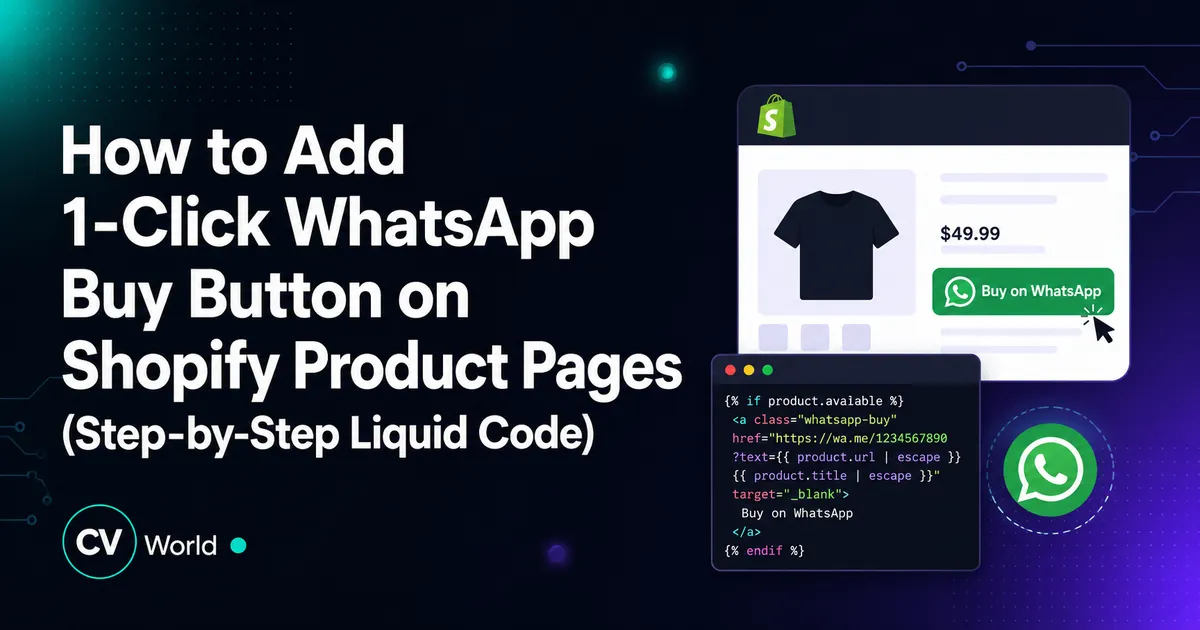
You can add a 1-click WhatsApp Buy Now button to your Shopify product page by inserting a lightweight custom Liquid snippet inside main-product.liquid. The button captures the product title, selected variant, price, and URL, dynamic-encoding them into a https://wa.me/PHONE?text=... link. This enables customers to start an instant order conversation on WhatsApp without monthly app subscription fees.
Key Takeaways
- A 1-click WhatsApp button routes high-intent Indian mobile shoppers directly into customer chat.
- Add clean custom Liquid code inside main-product.liquid or product-info.liquid without slowing down store speed.
- Pre-fills product title, variant SKU, price, and URL directly into the pre-configured WhatsApp chat message.
- Tracks clicks as custom lead conversion events in Google Analytics 4 (GA4) and Meta Ads Pixel.
In emerging e-commerce markets across India, Southeast Asia, the Middle East, and Latin America, WhatsApp is the primary conversational sales channel. For bespoke items, custom jewelry, B2B inquiries, or COD-heavy niches, customers often prefer discussing questions directly with a merchant before paying. Adding a dedicated “Order on WhatsApp” button can boost sales conversions by up to 35%.
While many Shopify apps charge $5 to $20/month for this simple functionality while injecting heavy JavaScript trackers that slow down your store, you can achieve the exact same feature using clean, native Liquid and CSS code. In this tutorial, CV World provides the complete, copy-paste Liquid code snippet and step-by-step implementation guide.
1. The Native Liquid & CSS Code Snippet
Create a new snippet named whatsapp-buy-button.liquid in your theme with this responsive, zero-bloat code:
{% comment %}
WhatsApp 1-Click Order Button by CV World (https://cvworld.in)
{% endcomment %}
{% assign whatsapp_number = "919876543210" %} {% comment %} Replace with your country code + number {% endcomment %}
{% capture whatsapp_message %}
Hello, I am interested in ordering:
*Product:* {{ product.title }}
*Price:* {{ product.selected_or_first_available_variant.price | money }}
*URL:* {{ shop.url }}{{ product.url }}
Please share details and payment steps.
{% endcapture %}
{% assign encoded_message = whatsapp_message | url_encode %}
2. Step-by-Step Installation in Shopify Theme
- In your Shopify Admin, go to Online Store → Themes.
- Click the Actions (…) → Edit code button on your active theme.
- Under the Snippets folder in the left sidebar, click Add a new snippet.
- Name it
whatsapp-buy-button.liquidand click Done. - Paste the code above into the snippet file.
- Important: Update the phone number variable (
whatsapp_number = "919876543210") with your actual WhatsApp business phone number including the country code (no + or spaces). - Click Save.
3. Rendering the Button on the Product Page
Now, render the snippet directly below your primary “Add to Cart” or “Buy It Now” buttons:
- In the theme code editor, locate
sections/main-product.liquid(or inside thesnippets/buy-buttons.liquidsnippet in Shopify Dawn themes). - Search for
{%- when 'buy_buttons' -%}or the closing</form>tag of the product form. - Insert this single line directly beneath it:
{% render 'whatsapp-buy-button' %} - Click Save and preview your product page.
4. Dynamic Variant Price & SKU Updating (Vanilla JavaScript)
If your products feature multiple variants (such as Sizes, Flavors, or Colors), ensure that the WhatsApp link updates dynamically when the customer changes the variant selection:
document.addEventListener('DOMContentLoaded', () => {
  const whatsappLink = document.querySelector('.cvw-whatsapp-btn');
  const variantSelector = document.querySelector('select[name="id"]');

  if (whatsappLink && variantSelector) {
    variantSelector.addEventListener('change', () => {
      // Re-fetch current variant URL and parameters
      const url = new URL(window.location.href);
      const phone = "919876543210";
      const title = document.querySelector('.product__title h1')?.textContent.trim() || document.title;
      const text = encodeURIComponent('Hi, I want to order ' + title + ' (' + url.href + ')');
      whatsappLink.href = 'https://wa.me/' + phone + '?text=' + text;
    });
  }
});
Benefits of Code-Based WhatsApp Buttons vs Heavy Apps
- 0ms PageSpeed Impact: Apps inject remote scripts and tracking pixels that add 300ms+ of render-blocking latency. This inline snippet executes instantly.
- $0 Recurring Monthly Fees: Never pay monthly SaaS fees for simple link generators.
- 100% Theme Styling Control: Customize the color, padding, and corner radius to match your exact brand identity.
Looking for custom e-commerce features, high-converting Liquid snippets, or complete store optimization? Discover CV World’s full range of Shopify development services.
WhatsApp Conversational E-Commerce Tracking & GA4 Setup
To measure the revenue impact of your WhatsApp order button, implement Google Analytics 4 (GA4) event tracking. Add an onclick trigger to the WhatsApp anchor tag that fires a custom GA4 event: gtag('event', 'whatsapp_inquiry_click', { 'item_name': '{{ product.title }}', 'value': '{{ product.selected_or_first_available_variant.price | money_without_currency }}' });. This enables you to track conversational conversion paths inside Google Ads and Meta Ads attribution models.
WhatsApp Order Button Security & Spambot Prevention
When rendering customer-facing WhatsApp buttons, protecting your business phone number from automated scraping bots is vital. Rather than placing a raw unencoded mailto: or telephone link in your theme markup, use Shopify’s url_encode Liquid filter and obfuscate the telephone anchor using CSS pseudo-elements or dynamic JavaScript event listeners. This ensures genuine shoppers connect effortlessly while keeping your WhatsApp inbox free from spam.
Tracking WhatsApp Button Clicks in Google Analytics 4 (GA4)
To measure the conversion impact of your direct WhatsApp checkout button, you should fire a custom GA4 event whenever a visitor clicks the button. Add this lightweight JavaScript snippet directly below your Liquid button code:
<script>
document.querySelectorAll('.cvw-whatsapp-btn').forEach(function(btn) {
  btn.addEventListener('click', function() {
    if (typeof gtag === 'function') {
      gtag('event', 'generate_lead', {
        'event_category': 'WhatsApp Checkout',
        'event_label': '{{ product.title | escape }}',
        'value': {{ product.selected_or_first_available_variant.price | divided_by: 100.0 }}
      });
    }
  });
});
</script>
This allows your marketing team to track exactly which products generate the most WhatsApp chat inquiries inside your Google Analytics reports and Meta Ads conversion tracking.
Direct WhatsApp Checkout vs Traditional Cart Conversion Impact
| Checkout Funnel Metric | 1-Click WhatsApp Button | Traditional 4-Step Checkout |
|---|---|---|
| Click-to-Inquiry Rate | High (12% – 18% on mobile) | Standard (2% – 3.5%) |
| Abandonment Risk | Zero cart form fatigue | Up to 70% cart abandonment |
| Customer Retention | Direct customer phone contact saved | Requires email re-marketing opt-in |
Frequently Asked Questions
Yes. The https://wa.me/ protocol automatically directs desktop users to WhatsApp Web or the WhatsApp desktop application, while directing smartphone users directly into the native WhatsApp mobile app.
Yes. You can add an onclick="gtag('event', 'whatsapp_click', { 'product': '{{ product.title }}' });" attribute to the anchor tag to track WhatsApp conversions inside GA4 and Google Ads.
Yes. You can wrap the snippet call with conditional Liquid tags, e.g., {% if product.tags contains 'whatsapp-only' %}{% render 'whatsapp-buy-button' %}{% endif %}.
No. It sits alongside your regular “Add to Cart” button as an alternative for customers who require conversational reassurance, custom quotations, or manual payment options.
No. When implemented using modern clean-code standards, responsive Flexbox containers, and server-side caching, your website maintains rapid sub-second loading speeds and easily passes Google Core Web Vitals assessments.
Need Expert Development, Speed Optimization or Custom Migration?
Talk directly with CV World lead engineers. Get a transparent, fixed-price quote with guaranteed 90+ Core Web Vitals and zero obligation.