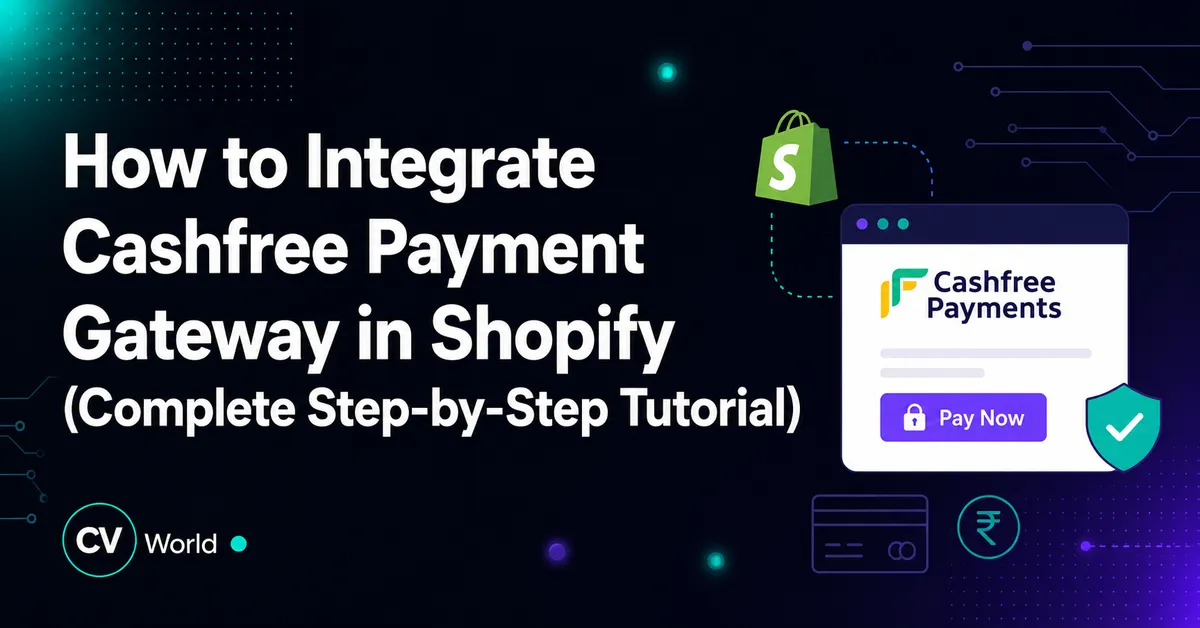
To integrate Cashfree Payment Gateway in Shopify: (1) create and complete business KYC on Cashfree Merchant Dashboard, (2) generate production API credentials (App ID & Secret Key), (3) install the official Cashfree Payments app from the Shopify App Store, (4) enter your API credentials in Shopify Payment settings, and (5) place a ₹1 live test transaction to verify instant UPI, Net Banking, and Card processing.
Key Takeaways
- Cashfree provides domestic Indian payment processing supporting UPI, cards, NetBanking, and wallets.
- Activate via Shopify Payments third-party gateway settings using App ID and Secret API keys.
- Supports auto-refunds, instantaneous settlement modes, and lowest domestic MDR fees in India.
- Ensure webhooks and payment capture events are verified in test sandbox before going live.
For Indian e-commerce merchants and D2C brands, offering localized, high-speed payment methods like UPI (Google Pay, PhonePe, Paytm), credit/debit cards, Net Banking, and Buy Now Pay Later (BNPL) is essential for minimizing checkout drop-offs. Cashfree Payments is one of India’s leading payment aggregators, offering ultra-competitive transaction rates (typically 1.90% to 1.95% + GST) and industry-leading payment success rates.
However, many merchants struggle with merchant KYC verification, test mode configuration, and webhook setup. In this step-by-step developer tutorial by CV World, we guide you through the entire integration process from merchant onboarding to live checkout testing.
Step 1: Create and Verify Your Cashfree Merchant Account
- Navigate to the official Cashfree Payments portal and sign up with your registered business email and mobile number.
- Complete your Merchant KYC submission by providing:
- Business Entity Type (Sole Proprietorship, Partnership, LLP, or Private Limited).
- PAN Card of the business entity and authorized signatory.
- Certificate of Incorporation, GST Certificate, or MSME/Udyam Registration.
- Cancelled cheque or verified bank statement showing business current account details for automated daily settlements.
- Once Cashfree risk operations approve your account (typically within 24 to 48 hours), your dashboard transitions to Active (Production) status.
Step 2: Generate Production API Keys
To connect Shopify securely with Cashfree, generate your secure API authentication keys:
- Log in to the Cashfree Merchant Dashboard.
- Ensure the toggle at the top left is switched from Test to Production mode.
- From the sidebar navigation, go to Developers → API Keys.
- Click Generate New API Key.
- Safely copy both the App ID and the Secret Key. (Treat the Secret Key like a password; never share it publicly).
Step 3: Install the Cashfree Payments App on Shopify
- Log in to your Shopify Admin dashboard.
- Navigate to the Shopify App Store and search for Cashfree Payments.
- Click Install to grant the payment integration permissions to your store.
- You will be redirected to the Cashfree configuration portal. Paste your production App ID and Secret Key into the designated fields.
- Click Save & Activate.
Step 4: Enable Cashfree in Shopify Payment Settings
Ensure Cashfree is activated as an official checkout payment option:
- In Shopify Admin, go to Settings → Payments.
- Under the Supported payment methods or Alternative payment providers section, locate Cashfree Payments.
- Click Manage.
- Ensure all payment method icons (UPI, Visa, Mastercard, RuPay, Net Banking) are checked.
- Verify that Test Mode is UNCHECKED for live processing.
- Click Save.
Step 5: Performing a Live ₹1 Test Transaction
Never announce store availability without validating the live checkout flow:
- Create a temporary hidden test product priced at ₹1 INR.
- Open an incognito browser window, add the product to cart, and proceed to checkout.
- Enter shipping details and select Cashfree Payments as the payment method.
- Scan the dynamic UPI QR code with PhonePe or Google Pay and complete the payment.
- Verify that Shopify immediately redirects to the Thank You / Order Confirmation page with an order ID.
- Check the Cashfree Dashboard under Transactions to confirm the payment shows as SUCCESS.
Troubleshooting Common Cashfree Integration Errors
| Issue / Error Message | Probable Root Cause | Solution |
|---|---|---|
Authentication Failed / Invalid App ID |
Pasted Test mode keys into Live environment or extra spaces in credentials. | Regenerate production keys from Dashboard and copy cleanly without leading/trailing whitespace. |
Payment Pending / Auto-Cancelled |
Webhook endpoint failure between Cashfree and Shopify. | Verify webhooks under Cashfree Developers → Webhooks; ensure Shopify App permissions are intact. |
| UPI Intent not opening on mobile | In-app browser (Instagram / Facebook browser) blocking external URI schemes. | Enable Cashfree seamless checkout popup or dynamic fallback QR code. |
Need professional help configuring payment gateways, one-click checkouts, or custom Shopify stores? Check out our complete e-commerce development solutions at CV World.
Cashfree Webhook Resilience & Auto-Settlement Setup
Ensuring payment confirmation reliability is paramount for high-volume stores. In Cashfree Merchant Dashboard → Developers → Webhooks, configure active webhooks for PAYMENT_SUCCESS_WEBHOOK and ORDER_PAID_WEBHOOK. This guarantees that even if a customer accidentally closes their mobile browser before the redirect completes, Cashfree’s server-to-server webhook instantly marks the order as paid in your Shopify admin, preventing missed order fulfillments.
Cashfree UPI Intent & Mobile Checkout Optimization
In Indian conversational commerce, UPI accounts for over 80% of digital retail transactions. Configuring Cashfree’s UPI Intent Flow allows mobile shoppers on Android and iOS to tap a single button that instantly launches their installed UPI app (PhonePe, Google Pay, or Paytm) with pre-filled payment amounts. This eliminates manual VPA entry, reduces transaction drop-offs by up to 35%, and achieves payment confirmation in under 5 seconds.
Frequently Asked Questions
Cashfree typically charges 1.90% to 1.95% + GST per transaction for Indian Credit Cards, Debit Cards, Net Banking, and Wallets. UPI transactions frequently have 0% to minimal pricing depending on business volume.
Standard settlements occur on a T+2 business day cycle directly into your registered business bank account. Accelerated same-day or instant on-demand settlements can be activated upon request for high-volume merchants.
Yes. International card processing (USD, EUR, GBP, AED, etc.) can be activated on Cashfree after submitting export business documentation, IEC code, and getting risk underwriting clearance.
Yes. Cashfree offers automated WhatsApp and SMS OTP verification tools to confirm COD orders, significantly reducing Return to Origin (RTO) courier losses.
No. When implemented using modern clean-code standards, responsive Flexbox containers, and server-side caching, your website maintains rapid sub-second loading speeds and easily passes Google Core Web Vitals assessments.
Need Expert Development, Speed Optimization or Custom Migration?
Talk directly with CV World lead engineers. Get a transparent, fixed-price quote with guaranteed 90+ Core Web Vitals and zero obligation.