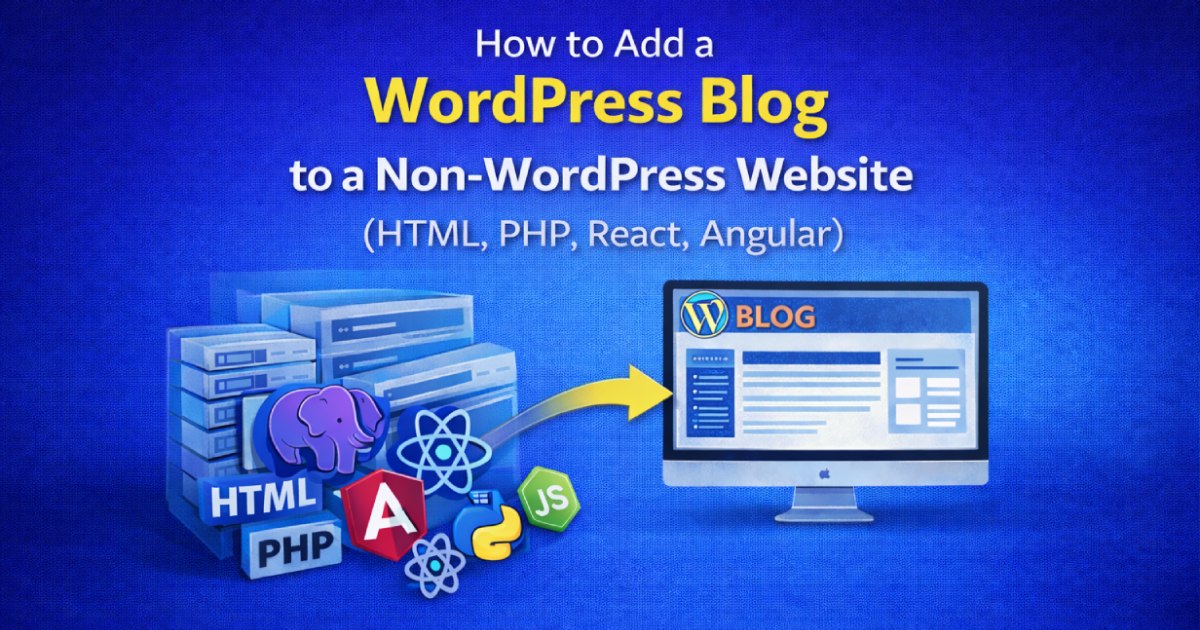
You can add a WordPress blog to a non-WordPress website (HTML, React, Next.js, or Laravel) using three main architectures: (1) Subdirectory Installation (example.com/blog) via reverse proxy or server routing (best for SEO domain authority), (2) Headless WordPress via REST API / GraphQL fetching data into your existing frontend framework, or (3) Subdomain Installation (blog.example.com) for rapid standalone deployment.
Key Takeaways
- Install WordPress in a /blog subdirectory on an Nginx or Apache reverse proxy for unified SEO authority.
- Alternatively, use headless WordPress REST API or WPGraphQL to fetch posts into React/Next.js/Angular.
- Subdirectory structure (/blog) passes maximum domain equity to your main website compared to subdomains.
- Maintains marketing team publishing autonomy while preserving your custom web application stack.
Many successful companies, SaaS startups, and web applications build their core products using custom technology stacks like static HTML, Laravel, Node.js, React, or Vue. However, when it comes to content marketing and editorial publishing, non-technical writers and SEO managers demand the intuitive writing experience, media management, and plugin ecosystem of WordPress.
Building a custom blog CMS from scratch is costly, insecure, and counterproductive. Instead, connecting an enterprise-grade WordPress blogging engine to your existing non-WordPress site gives you the best of both worlds: unbeatable web app performance paired with world-class publishing power. In this guide, we review the top three integration strategies, complete with server configuration snippets and SEO best practices.
Strategy Comparison: Which Method Fits Your Architecture?
| Integration Method | SEO Impact | Implementation Complexity | Best For |
|---|---|---|---|
Subdirectory (/blog) |
Highest (10/10) — Consolidates domain authority | Moderate (Requires Nginx/Apache reverse proxy) | Companies prioritizing organic Google ranking |
| Headless WP (REST API) | Excellent (9/10) — When combined with SSR/SSG | Advanced (Requires front-end API consumption) | React, Next.js, Nuxt, and modern Jamstack apps |
Subdomain (blog.example.com) |
Moderate (7/10) — Treated as separate domain entity | Low (Simple DNS A-record or CNAME) | Quick launches with independent hosting environments |
Method 1: Subdirectory Installation (example.com/blog) — The SEO Champion
Google search algorithms treat subdomains as separate web properties, meaning backlink equity earned by blog posts does not directly flow to your main sales pages. Hosting your blog in a subdirectory (/blog) passes 100% of domain authority to your root website.
Step 1: Installing WordPress in a Subfolder
If your main site is static HTML or PHP on a standard Apache or cPanel server, create a physical folder named blog inside your root public_html directory and extract WordPress files there. Run the standard WordPress installation at https://example.com/blog/wp-admin/install.php.
Step 2: Nginx Reverse Proxy Configuration (For Node/React/Python Backends)
If your main website is hosted on a modern container or cloud server (e.g., Node.js on port 3000) and WordPress runs on a separate PHP server, configure an Nginx Reverse Proxy so requests to /blog pass seamlessly:
# Root website proxy
location / {
    proxy_pass http://localhost:3000;
    proxy_set_header Host $host;
    proxy_set_header X-Real-IP $remote_addr;
}

# Subdirectory WordPress Blog proxy
location /blog {
    proxy_pass http://wordpress-server-ip/blog;
    proxy_set_header Host $host;
    proxy_set_header X-Forwarded-For $proxy_add_x_forwarded_for;
    proxy_set_header X-Forwarded-Proto $scheme;
}
Method 2: Headless WordPress via REST API (For Next.js, React & Vue)
If your frontend is a cutting-edge JavaScript single-page application (SPA) or static site generator (Next.js, Gatsby, Astro), you don’t need WordPress to render PHP theme templates. Instead, use WordPress purely as a headless backend CMS.
How It Works:
- Install WordPress on a secure backend subdomain (e.g.,
cms.example.com) where content creators log in to draft posts. - Your React or Next.js app queries the native WordPress REST API:
// Fetch latest posts in Next.js / React const res = await fetch('https://cms.example.com/wp-json/wp/v2/posts?_embed'); const posts = await res.json(); - Render blog content statically using Next.js
getStaticPropsor Server Components, rendering lightning-fast pages with full CSS control matching your web application.
Method 3: Matching Brand Design & Navigation
If using a traditional WordPress installation in a subdirectory or subdomain, your blog must visually match your primary site so visitors experience zero cognitive friction:
- Shared Global Header and Footer: Export your main website’s HTML/CSS navigation bar and footer into a minimalist child theme’s
header.phpandfooter.phptemplates. - Single Sign-On (SSO): For SaaS platforms, you can synchronize user sessions between your application database and WordPress using JWT (JSON Web Tokens) or OAuth2 authentication.
- Centralized Asset Loading: Enqueue your brand’s core typography, color variables, and CSS stylesheets within
functions.phpto maintain strict visual brand consistency.
Critical Technical Tips for Seamless Integration
- Permalink Structure: Set WordPress permalinks to Post name (
/blog/%postname%/) under Settings → Permalinks to preserve clean URLs. - CORS Configuration: If fetching data via REST API across different domains, enable Cross-Origin Resource Sharing (CORS) headers on the WordPress server.
- Robots.txt & Sitemap Merging: Ensure your root
sitemap.xmlreferences the WordPress XML sitemap (e.g.,/blog/sitemap_index.xml) so search engines crawl both platforms effortlessly.
Need professional assistance architecting a custom WordPress blog integration or reverse proxy for your existing web app? Check out our enterprise WordPress development services or get in touch with our engineering team.
SEO Canonicals & Cross-Domain Authority Consolidation
When running a WordPress blog alongside a non-WordPress web application (such as React or Laravel), avoiding duplicate content indexing is essential. Configure self-referencing canonical tags (<link rel="canonical" href="https://example.com/blog/...">) on every blog post using Rank Math or Yoast SEO. Ensure your root domain’s primary navigation links directly to the /blog subpath so search engines recognize the unified domain authority.
Frequently Asked Questions
No. When properly configured with server-level caching (such as Redis and Nginx fastcgi_cache) or via a Headless REST API architecture, the blog operates independently and will not degrade your core application performance.
Yes. Both Yoast SEO and Rank Math provide REST API and GraphQL endpoints that output complete meta tags, OpenGraph data, and JSON-LD schema for your frontend framework to render.
A subdirectory (example.com/blog) is significantly superior for SEO. Search engines aggregate link equity and keyword authority to the root domain, directly elevating rankings for your core products and landing pages.
Implement Cloudflare Web Application Firewall (WAF), enforce two-factor authentication (2FA) on wp-login.php, disable XML-RPC, and automate routine core and plugin security patches.
No. When implemented using modern clean-code standards, responsive Flexbox containers, and server-side caching, your website maintains rapid sub-second loading speeds and easily passes Google Core Web Vitals assessments.
No. We build every layout using intuitive drag-and-drop visual controls and custom fields, allowing content managers to update text, replace images, and publish new pages without touching code.
We recommend managed high-speed hosting with LiteSpeed web server technology (such as Hostinger Cloud or Cloudways) with Redis object caching and automated daily backups.
Yes. Full responsive breakpoint controls allow you to adjust spacing, font sizes, column ordering, and element visibility independently for each screen size.
[
Ready to Build Something Great?
Connect with CV World lead engineers on WhatsApp for a fast, fixed quote and zero obligation.