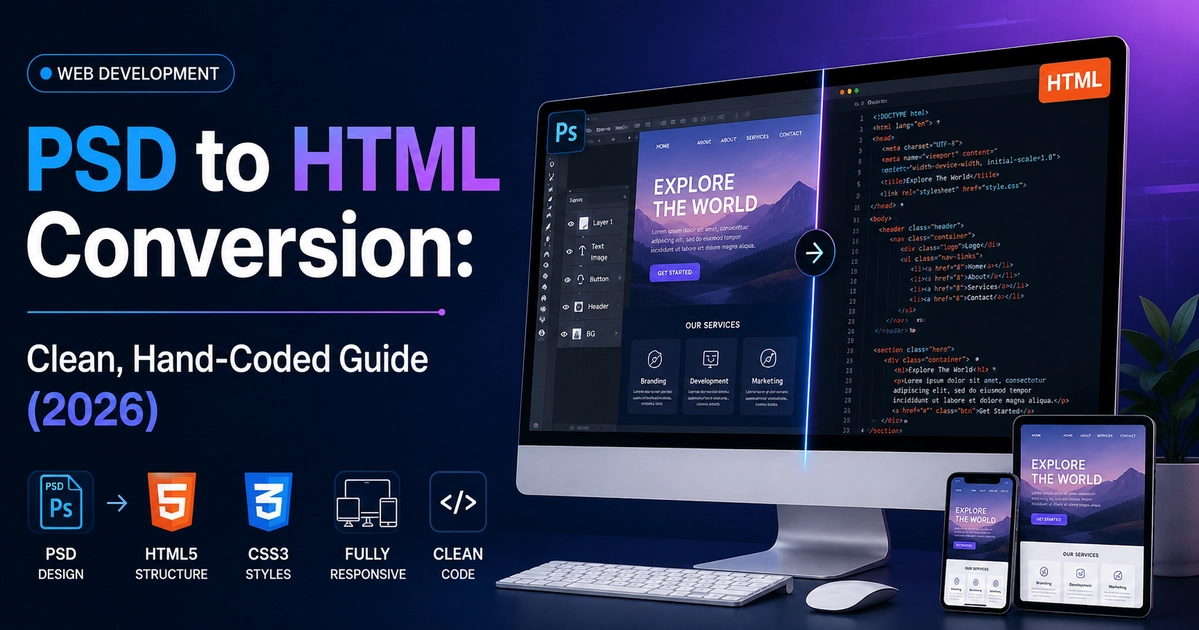
Professional PSD to HTML conversion transforms Adobe Photoshop design files into semantic, W3C-validated, and mobile-responsive HTML5/CSS3/JavaScript code. The process requires asset slicing and WebP compression, establishing modern CSS variables (custom properties), structuring responsive Flexbox and Grid layouts, writing vanilla JavaScript for interactive components, and optimizing for Google Core Web Vitals to achieve 95+ PageSpeed scores.
Key Takeaways
- Hand-coded HTML5 delivers semantic markup, zero framework bloat, and instant load speeds.
- Use modern CSS Flexbox and Grid layouts instead of obsolete table-based or float layouts.
- Optimize image assets into WebP and SVG formats with explicit aspect ratios to eliminate layout shifts.
- Ensures 100% W3C valid markup and smooth responsive scaling across desktop, tablet, and mobile.
In modern web development, converting an Adobe Photoshop (.PSD) mockup into living, breathing web code remains a critical skill and high-demand service. Whether you are building a custom web application interface, a standalone marketing landing page, or a bespoke corporate portal, clean hand-coded HTML5 and CSS3 provides unmatched speed, security, and rendering consistency compared to automated export tools.
Automated conversion plugins and export software notoriously produce bloated markup, absolute positioning nightmares, broken responsive breakpoints, and catastrophic accessibility scores. At CV World, our engineering team adheres to strict semantic coding standards. In this 2026 guide, we outline the exact step-by-step workflow required to convert any complex PSD file into production-grade HTML code that passes every Google Core Web Vitals audit.
1. Phase 1: Preparing and Inspecting the PSD File
Before writing a single line of code, thorough inspection in Photoshop or Photopea saves hours of debugging later. Designers frequently structure layers loosely, so follow this pre-coding checklist:
- Audit the Grid Architecture: Identify whether the PSD was drafted on a standard 12-column 1140px Bootstrap grid, a 1200px container, or a full-width 1440px modern layout. Determine margin gutters (typically 15px to 24px per side).
- Extract Typography and Hierarchy: Note font family names, weights (e.g., Light 300, Regular 400, Semi-Bold 600, Bold 700), font sizes in pixels or rem, line heights, and letter spacing. Check whether custom fonts are accessible via Google Fonts or require local WOFF2 font files.
- Color Palette Mapping: Document HEX and RGBA color codes for primary brand hues, secondary accents, neutral background shades, surface card fills, border lines, and subtle drop shadows.
- Layer Grouping: Organize layers into logical page sections: Header, Hero, Features, Testimonials, Pricing, FAQ, and Footer.
2. Phase 2: Asset Slicing and Next-Gen Image Optimization
Modern web performance requires aggressive asset optimization. Never export raw JPGs or uncompressed PNGs directly onto a production server:
- Vector Assets (Icons & Logos): Export all icons and vector shapes as clean SVGs. Run exported SVGs through tools like SVGOMG to strip unnecessary XML metadata and editor comments.
- Photographic Images: Export photos at 2x resolution to maintain crisp clarity on Retina displays, then convert them into modern WebP or AVIF formats. This reduces file size by 65% to 85% without perceptible quality loss.
- Sprites & Icon Fonts: For repetitive navigational icons, consider using an inline SVG sprite sheet or modern icon libraries to prevent multiple HTTP/2 requests.
3. Phase 3: Project Architecture and CSS Architecture
Maintain a clean, scalable directory structure for the project:
project-root/
│
├── assets/
│   ├── css/
│   │   ├── reset.css
│   │   ├── variables.css
│   │   └── style.css
│   ├── js/
│   │   └── main.js
│   ├── images/
│   └── fonts/
│
└── index.html
Establish modern CSS custom properties in variables.css so that design tokens can be modified centrally across the entire stylesheet:
:root {
  --font-primary: 'Inter', -apple-system, BlinkMacSystemFont, sans-serif;
  --font-heading: 'Space Grotesk', sans-serif;
  --color-primary: #0F172A;
  --color-accent: #2563EB;
  --color-text: #475569;
  --color-bg: #F8FAFC;
  --container-width: 1200px;
  --transition-default: all 0.3s cubic-bezier(0.4, 0, 0.2, 1);
}
4. Phase 4: Semantic HTML5 Structure
Search engines and screen readers rely on correct HTML5 semantic elements. Structure your layout logically rather than using endless generic <div> wrappers:
| PSD Component | Correct Semantic Tag | Why It Matters |
|---|---|---|
| Site Navigation | <header> <nav> <ul> |
Enables screen readers to jump directly to menu links. |
| Hero Section | <section class="hero"> <h1> |
Guarantees one unique H1 per page for SEO indexing. |
| Card Grid / Features | <section> <article> |
Represents self-contained reusable content blocks. |
| FAQ Accordion | <details> <summary> or styled <button> |
Native accessibility keyboard navigation (Tab & Space/Enter). |
| Copyright & Secondary Links | <footer> <small> |
Defines landmark footer region for crawling bots. |
5. Phase 5: Modern Responsive Layouts with Flexbox & CSS Grid
PSD files typically represent desktop viewport resolutions (1440px or 1920px wide). A professional front-end developer must construct fluid breakpoints for tablets (768px – 1024px) and smartphones (360px – 480px):
- Mobile-First Media Queries: Write default CSS rules for mobile screens, applying
@media (min-width: 768px)and@media (min-width: 1024px)overrides as viewport space expands. - CSS Grid for 2D Grids: Use
grid-template-columns: repeat(auto-fit, minmax(280px, 1fr));for product or feature grids, allowing automatic fluid column wrapping without rigid media queries. - Flexbox for 1D Alignment: Use Flexbox for navigation bars, card headers, button clusters, and vertical centering.
6. Phase 6: Interactive JavaScript & Micro-Animations
Enhance the static design with lightweight vanilla JavaScript (ES6+), avoiding heavy jQuery dependencies:
- Accessible Mobile Drawer: Implement a clean toggle menu with ARIA attributes (
aria-expanded="false") and keyboard trap controls. - Smooth Scrolling & Sticky Navigation: Add an
IntersectionObserverto highlight active navigation sections and apply a subtle backdrop blur to sticky headers when scrolled past 50px. - Accordion & Tab Logic: Toggle CSS classes dynamically with smooth CSS max-height transitions.
7. Phase 7: Performance Testing & Core Web Vitals
Before deployment, test the converted HTML page against industry-standard benchmarks:
- Largest Contentful Paint (LCP): Ensure the hero image or primary text block renders within 1.8 seconds. Preload critical hero assets with
<link rel="preload" as="image" href="...">. - Cumulative Layout Shift (CLS): Always declare explicit
widthandheightattributes on all<img>and<svg>elements to reserve layout space during rendering. - Interaction to Next Paint (INP): Keep JavaScript execution under 100ms by deferring non-essential scripts with the
deferattribute.
Need expert assistance converting complex Photoshop, Figma, or Sketch designs into clean, high-performance HTML or WordPress themes? Explore our custom web design and development services or request a project quotation today.
Frequently Asked Questions
A single landing page PSD conversion typically takes 24 to 48 hours for clean, hand-coded, responsive HTML5/CSS3. Multi-page projects (5 to 10 page templates) typically require 4 to 7 business days, including cross-browser testing and speed optimization.
Automated export tools generate redundant inline CSS, absolute positioning coordinates, and bloated DOM trees that break on mobile screens and cause terrible Google PageSpeed scores. Hand-coded HTML uses clean semantic tags, CSS variables, fluid Flexbox/Grid systems, and full accessibility (ARIA) standards.
Yes. Clean semantic HTML can be effortlessly converted into a custom WordPress PHP theme, converted into Gutenberg blocks, or rebuilt inside Elementor Pro containers with dynamic CMS fields.
Yes. While we write lightweight vanilla CSS for maximum performance, we can convert PSD files using Tailwind CSS, Bootstrap 5, or modern CSS modules depending on your project stack requirements.
No. When implemented using modern clean-code standards, responsive Flexbox containers, and server-side caching, your website maintains rapid sub-second loading speeds and easily passes Google Core Web Vitals assessments.
Need Expert Development, Speed Optimization or Custom Migration?
Talk directly with CV World lead engineers. Get a transparent, fixed-price quote with guaranteed 90+ Core Web Vitals and zero obligation.