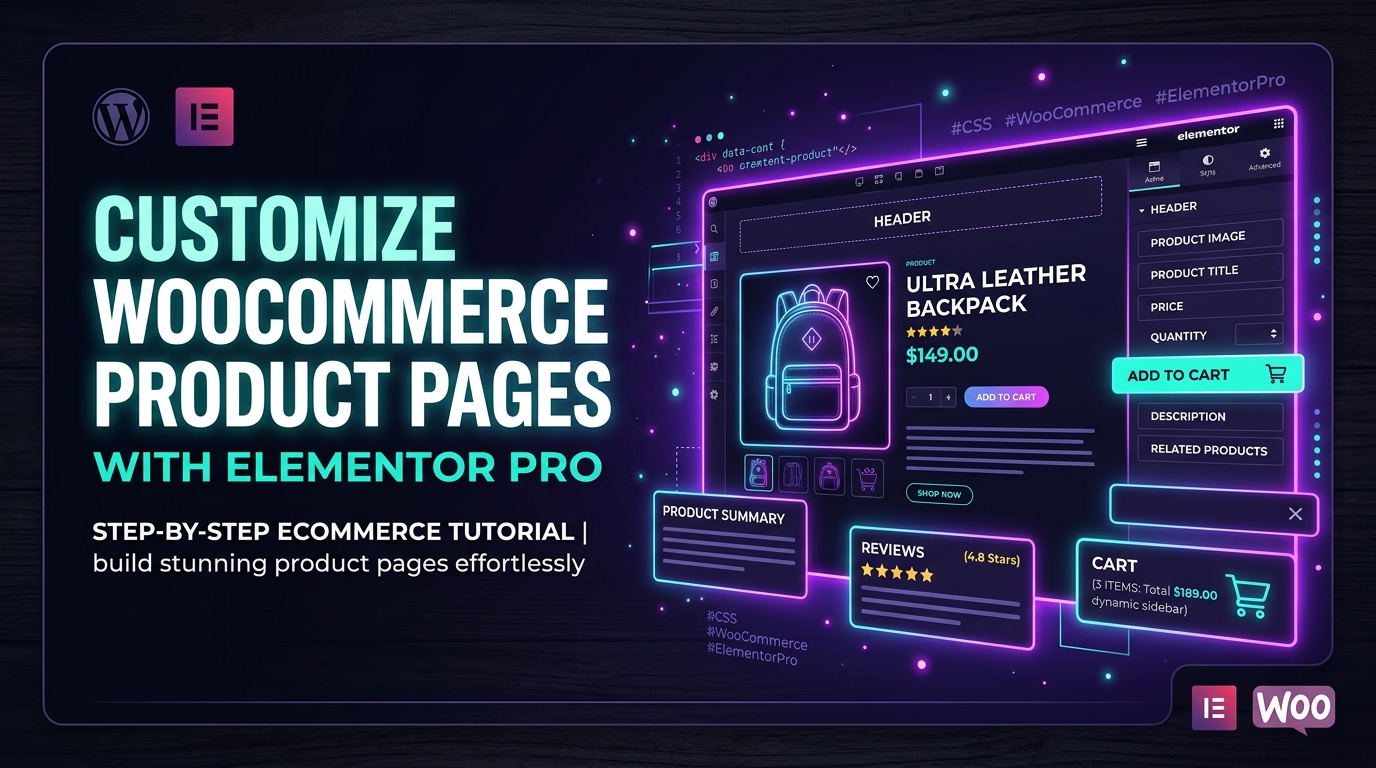
To customize WooCommerce Product Pages with Elementor Pro: (1) navigate to Templates → Theme Builder → Single Product and click Add New, (2) select a pre-designed layout or start from a blank canvas, (3) drag dedicated WooCommerce widgets (Product Images, Product Title, Price, Add to Cart, Product Data Tabs), (4) style typography, swatches, and sticky mobile purchase buttons, and (5) set Display Conditions to apply across All Products or specific categories.
Key Takeaways
- Single Product Theme Builder templates override default WooCommerce layouts with drag-and-drop widgets.
- Customize Product Title, Gallery, Add-to-Cart button, Upsells, and Reviews independently.
- Use display conditions to assign unique layouts to specific product categories or tags.
- Ensure Ajax add-to-cart is configured to prevent full page reloads and boost conversion rates.
Default WooCommerce single product layouts are notoriously rigid. Traditional themes trap you in a dated 2-column layout with rigid image thumbnails, cluttered tabs, and non-sticky purchase buttons that hurt mobile conversion rates. With Elementor Pro’s WooCommerce Builder, you gain total visual control over your product detail pages (PDPs) without writing a single line of PHP code.
At CV World, we specialize in high-converting e-commerce web design. In this step-by-step masterclass, we guide you through designing a modern, mobile-optimized WooCommerce product template that maximizes average order value (AOV) and conversion rates in 2026.
1. Accessing the Elementor Single Product Theme Builder
- Ensure both WooCommerce and Elementor Pro are active on your site.
- From your WordPress dashboard, go to Templates → Theme Builder.
- Locate the Single Product section and click Add New (the plus icon).
- Close the template library popup if you want to build a bespoke high-performance layout from scratch.
- Click the Gear icon (bottom left) → Preview Settings → select a live product from your store so you see realistic pricing and photography while styling.
2. Core WooCommerce Product Widgets You Must Include
| Elementor Widget | Purpose & Placement | Conversion Best Practice |
|---|---|---|
| Product Images | Left column / gallery slider | Enable lightbox zoom; ensure thumbnail images are square 1:1 aspect ratio. |
| Product Title & Rating | Top of right column (H1) | Place star ratings directly below title to establish immediate social proof. |
| Product Price | Directly below title / rating | Display original price with a strikethrough next to sale price in contrasting color. |
| Custom Add to Cart | Middle of right column | Style the CTA button prominently (high contrast color, 52px minimum height). |
| Product Data Tabs | Below the fold or collapsible accordion | Split long descriptions into clean tabs: Specifications, Shipping, Reviews. |
3. Engineering a Sticky Add-to-Cart Bar for Mobile Shoppers
Over 75% of e-commerce traffic originates on smartphones. As users scroll through product photos and reviews, the main buy button disappears from view, increasing friction. To build a sticky mobile buy bar:
- Create a new 1-row Container at the bottom of your template.
- Insert a simplified Add to Cart button and current Product Price.
- In the Container’s Advanced → Motion Effects tab, set:
- Sticky: Bottom
- Sticky On: Mobile and Tablet only (disable Desktop)
- Give the container a subtle top border and high z-index (e.g.,
z-index: 999) with a clean white or dark surface background.
4. Category-Specific Product Templates with Display Conditions
Different product lines require distinct page layouts. For example, clothing requires a size chart popup, while digital downloads need a software compatibility table:
- Click the green Publish button at bottom left.
- Click Add Condition.
- Select Include → In Category → Apparel to apply this layout exclusively to clothing items.
- Create a separate template for other product categories as needed.
5. Crucial Core Web Vitals Tips for WooCommerce PDPs
- Image Compression: Use WebP images with exact width/height attributes to prevent Cumulative Layout Shifts (CLS).
- Avoid Slider Plugins: Stick to Elementor’s native gallery widget or lightweight CSS carousels rather than enqueuing heavy external Swiper scripts.
- Preload Featured Image: Configure your caching plugin to preload the first product featured image to accelerate Largest Contentful Paint (LCP).
Looking to elevate your WooCommerce store with custom product funnels and high-converting checkouts? Explore our WooCommerce web development services at CV World.
Configuring Dynamic Upsells & Cross-Sells in Elementor WooCommerce
To maximize average order value (AOV), incorporate dynamic upsells directly inside your single product template. Elementor Pro provides dedicated Product Upsells and Related Products widgets. You can control columns, products per page, orderby parameters, and add custom badge overlays (such as “Frequently Bought Together” or “Best Seller”). Pair these with Ajax add-to-cart buttons so shoppers can bundle items without navigating away from the product page.
Frequently Asked Questions
Ready to Build Professional Websites Faster?
Supercharge your WordPress design workflow with 100+ premium widgets, theme builder capabilities, and dynamic WooCommerce templates.
Yes. You can add a Text or Badge widget and position it over the product image container using absolute positioning or CSS flex alignment.
Yes. Elementor provides a dedicated Product Reviews widget that can be placed anywhere on the page, such as a dedicated full-width social proof section below the main fold.
It replaces many front-end layout plugins (like custom tab managers and gallery stylers), reducing plugin bloat and improving page speed.
When configured using modern Elementor Pro Flexbox containers, WebP image formats, and proper caching, WooCommerce Product Pages with Elementor Pro runs with high DOM efficiency and sub-second response times, easily passing Google Core Web Vitals.
No. Elementor Pro provides an intuitive drag-and-drop visual interface. You can configure dynamic settings, responsive breakpoints, and styling controls directly within the editor without writing PHP or JavaScript.
Yes. Elementor Pro allows granular responsive control per breakpoint. You can adjust column direction, font sizes, padding, and visibility toggles independently for desktop, tablet, and smartphone screens.
To preserve maximum security, rapid loading speeds, and uninterrupted search rankings, websites should run automated weekly offsite backups, maintain updated PHP and plugin runtimes, and utilize object caching via Redis or LiteSpeed Cache. CV World provides comprehensive post-launch care packages ensuring 99.9% uptime and proactive optimization.
Need Custom Elementor Pro Development or Speed Optimization?
Partner with CV World lead WordPress engineers for custom Theme Builder development, WooCommerce integrations, and guaranteed 90+ Core Web Vitals.